
PHOENIQS AI Chat: Memory, Admin Panel and Usage Dashboard
We are continuously improving PHOENIQS AI Chat, the secure AI workspace of the PHOENIQS AI Platform, hosted and operated in Switzerland.
The latest release lets AI Chat remember what matters to each user, gives administrators of AI Chat Dedicated instances direct control over their workspace, and makes usage across the organization transparent. PHOENIQS AI Chat now also builds on LibreChat 0.8.8, the latest release of the open-source framework behind it.
What's new
Memory
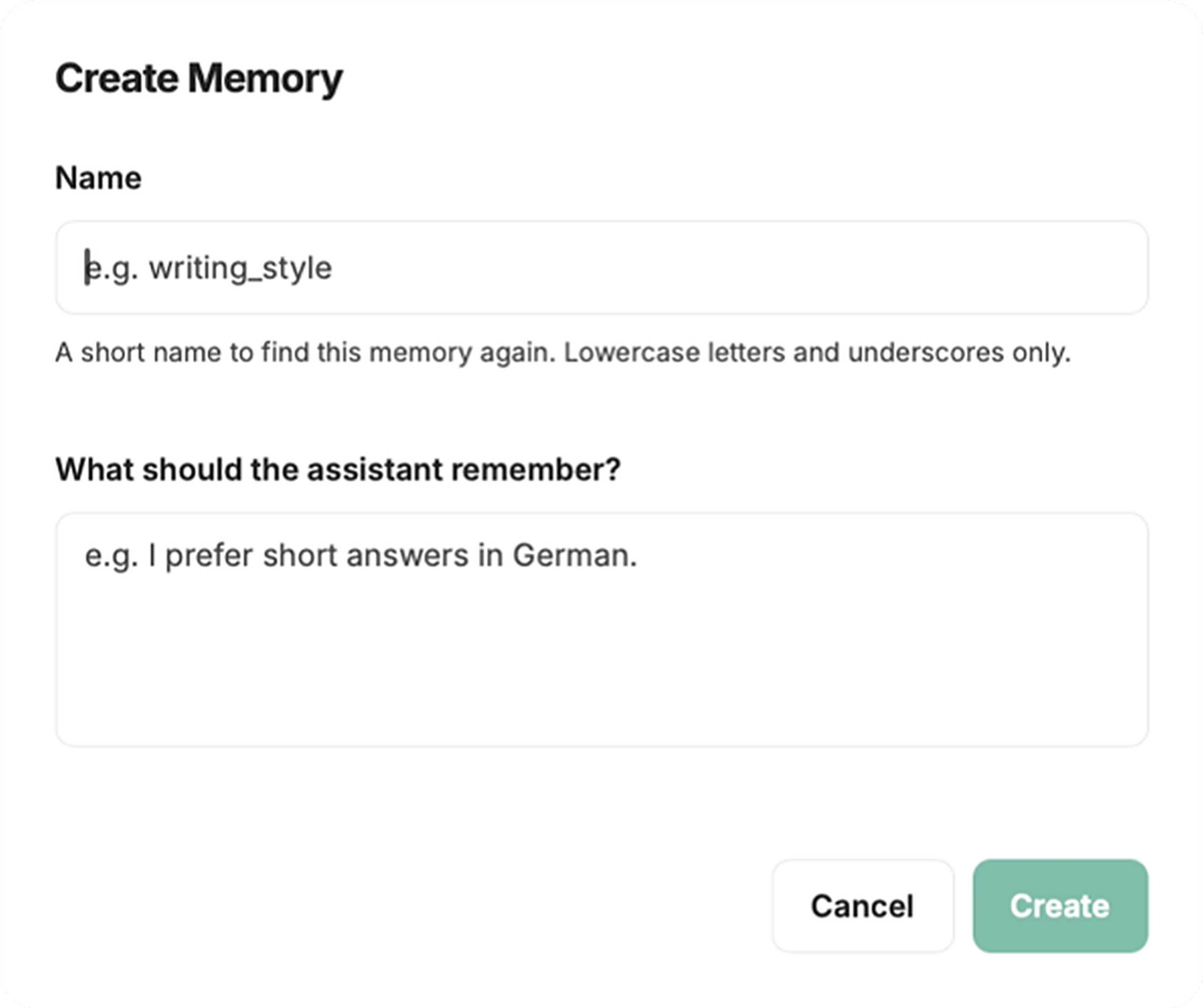
Users can save short notes about themselves once, such as their role, their working style or how they like answers formatted, and AI Chat takes them into account in every conversation. Memories are created by the users themselves in the Memories panel; the model does not save anything on its own. Memories are private to each user and can be switched off at any time.
Admin Panel (AI Chat Dedicated)
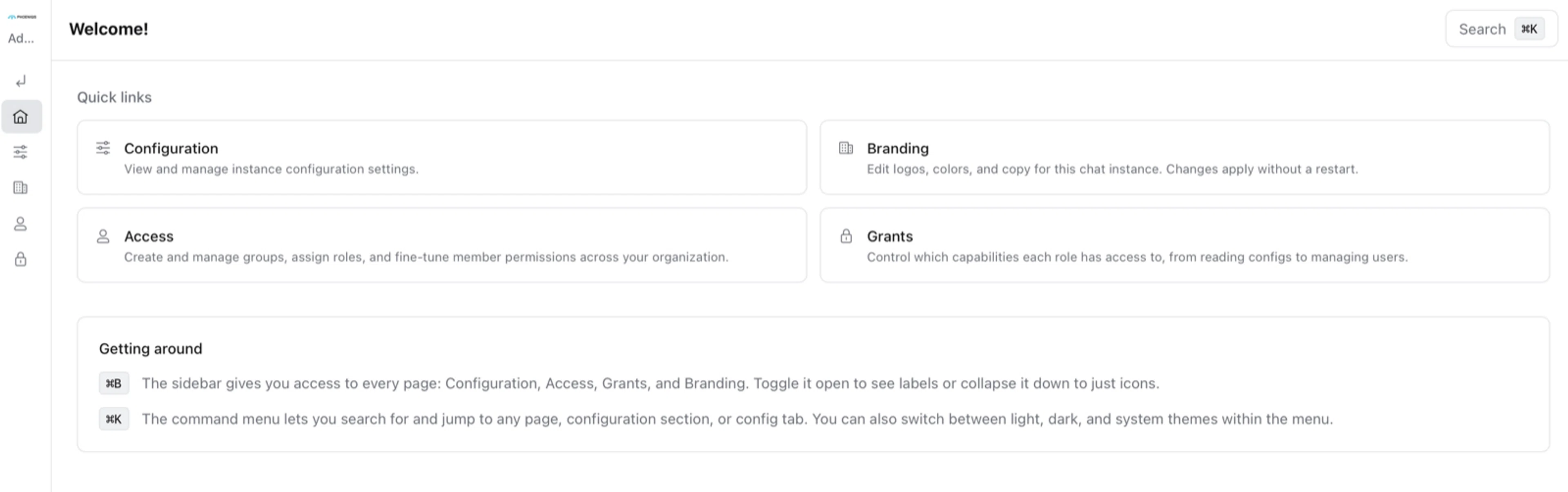
Administrators of an AI Chat Dedicated instance can now set up their workspace themselves, without a support ticket. In the new Admin Panel they manage groups, choose what each role is allowed to do, decide which features users see, set upload limits, and apply their own logo, colors and theme. Settings that PHOENIQS manages for every instance stay visible but greyed out, so administrators always see how their instance is configured.
Auto Mode
The latest version of our intelligent model selection. Auto Mode picks the right model for every message and now shows what it is working on while it answers, for example when it checks an answer or hands over to a larger model. When the answer is ready, a short summary shows how long it took and how many models were involved.
Everyday improvements
- Organized chat history: filter, sort and pin chats, and keep pinned chats at the top.
- Context at a glance: see how much of the model's context a conversation uses, and compact long conversations to continue them.
- Steer while it works: add instructions while an answer is still being generated.
- Clearer error messages: when a model cannot answer, AI Chat explains why.
What this means for you
- More relevant answers: users no longer need to repeat who they are and how they work in every conversation.
- Control for administrators: AI Chat Dedicated customers configure roles, features and branding themselves, at their own pace.
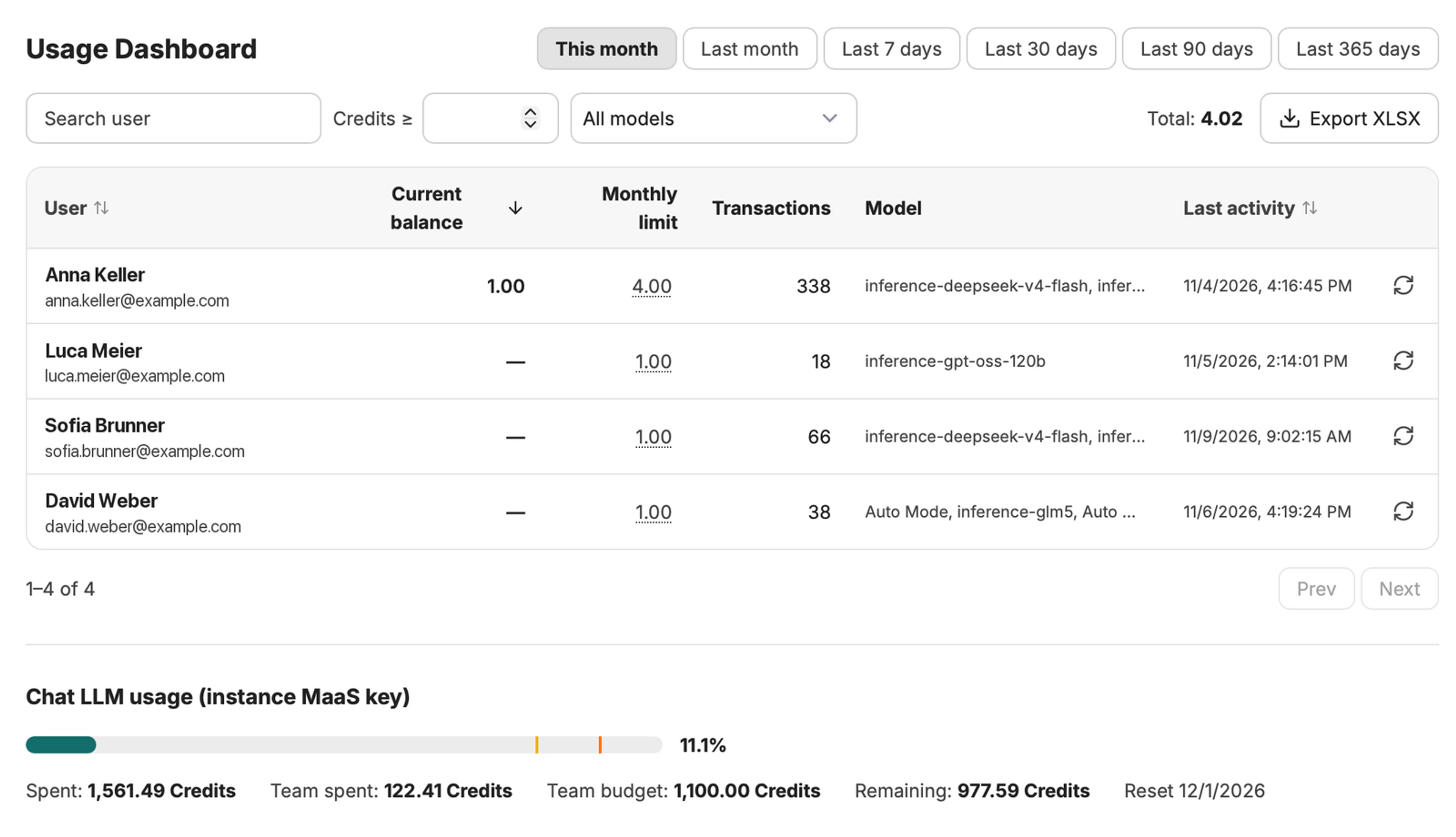
- Transparency: usage and credit consumption are visible per user and model.
No action is required on your side. The update has been applied automatically to PHOENIQS AI Chat.
What's next
We will continue to extend PHOENIQS AI Chat in upcoming releases. Next up are scheduled chats, which let a prompt run automatically, for example as a daily morning briefing.
Support
If you have questions or feedback on the new features, please contact your account team or our support team.
We appreciate your continued trust in PHOENIQS.